Skip to content

SimCapture Cloud

Limitless opportunities in a future-ready platform

Why Move to the Cloud?

The hundreds of clients who have already adopted SimCapture Cloud can take advantage of improved workflows and new functionality, such as LMS integration, inventory management, and peer-to-peer training, just to name a few. Our goal is to help our clients leverage the latest data, video, and security technologies, allowing users to effortlessly manage, capture, debrief, and assess simulation sessions.

Reliable and Secure Platform

SimCapture Cloud resides on Amazon Web Service (AWS). This infrastructure allows us to continuously enhance SimCapture with no downtime and better integration with LLEAP, SimPad, and 3rd party suppliers.

Continuous Enhancements

Based on user needs and feedback, we are continuing to add new functionality that will automatically be released to cloud users like inventory management, Learning Management System (LMS) integration, and standardized patient management.

Flexible Student-Focused Learning from Anywhere

Take advantage of new use models like peer-to-peer skills practice, self-recording assignments, telemedicine training, and remote OSCE functionality, which allows your organization to support learners onsite, offsite, or in a hybrid environment to adapt to changing needs.

Go Hardware Free for Mobile Sims

Run your simulation experience hardware-free with the new SimCapture Mobile Camera app. Capture transport cases on-site and in situ simulations with your mobile device while benefiting from full access to SimCapture functionalities from anywhere. ​​

Proactive Support

Support based on your feedback means bi-weekly releases, bug fixes, and improvements. Each is rapidly deployed without any operational disruption. In addition, cloud connectivity means that issues can be identified and often resolved before they are even reported.

Enhanced Collaboration

With the multi-tenant database architecture, more functionality is available for collaboration. Connect networks between organizations and multiple campuses, increasing efficiency and standardization.


How Can SimCapture Cloud Help?

  • Leadership​
  • Sim Lab Staff
  • Faculty
  • IT & AV Specialists​

Leadership​

  • Overcome limited access to clinical sites and practice time with peer-to-peer training and remote learning opportunities to ensure your students get the documented high-quality experiences they need to transition to practice successfully.​
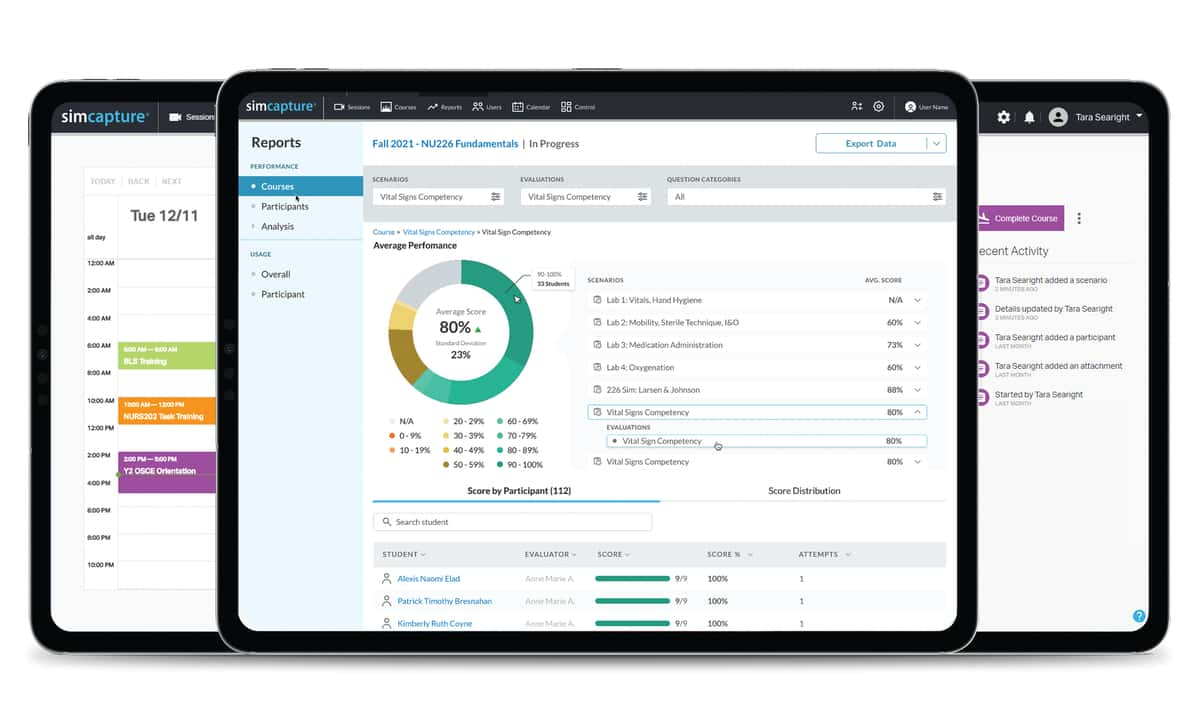
  • Simplify your pathway to accreditation with straightforward, automated reports showing inter-rater consistency, cross-course reporting, utilization, and more.​
  • Improve operational efficiencies to improve capacity and staff retention.

Sim Lab Staff

  • No more sim lab shutdowns - biweekly releases, bug fixes, and improvements will be rapidly deployed without any operational disruption.​
  • Stop creating and maintaining inventory spreadsheets. Manage assets and inventory with ease.​
  • Reduce workload and improve consistency - share your courses and curriculum across multiple campuses for increased efficiency and standardization.

Faculty

  • Increase efficiency by pre-assigning graders to evaluations prior to students completing them.​
  • More flexible releasing options for videos, grades, full evaluations, or comments only depending on what you want learners to have access to.​
  • 'With accessibility from anywhere, anytime, course and scenario experiences connect to learning objectives to meet program outcomes.

IT & AV Specialists​

  • No onsite data storage equipment means you do not need to replace expensive servers or take care of maintenance, making your costs more predictable.​
  • Multiple layers of security utilize the latest technology and best practices to ensure clients cannot access each other’s data and unauthorized users cannot access any data.  SimCapture offers multiple layers of load-balancing, redundancy, and fault tolerance. ​
  • Proactive support: cloud connectivity means that issues can be identified and often resolved before they are even reported.

Your Guided Path to SimCapture Cloud

Whether you’re upgrading from on‑premise or exploring SimCapture for the first time, our transition program pairs you with experts who guide every step—from planning to implementation and beyond.


Laerdal’s team of specialists will work closely with you to:

  • Assess your goals and workflows
  • Build a transition plan that minimizes downtime in your simulation center
  • Coordinate implementation with AV specialists skilled in IT, security, audiovisual, and networking
  • Deliver virtual or on‑site training so your faculty can start strong from day one


After go‑live, our Customer Success/Impact support helps you drive utilization, consistency, and measurable outcomes—while our Customer Service and Technical Support teams are always available to keep you operational.

Impact support availability may vary by region.

Ready to Get Started?


The SimCapture Impact Management team will help you assess your simulation program needs and develop a plan to make the move to SimCapture Cloud.

simcapture reporting

Interested in working with an Impact Manager?

We will handle your personal contact details with care as outlined in Laerdal's Privacy Policy.

We will handle your personal contact details with care as outlined in Laerdal's Privacy Policy.


SimCapture allows you to effectively manage, record, and assess simulation training both on-site and in-situ. ​

Capture audio, video, annotations, patient monitors, and simulator data in a single, web-based interface.​

Learn More

heroenterprise-1201x717-edba20f.jpg